How does the purchase work?
1. Download and install SmileCrop — free.
2. Open the app — a 14-day free trial starts automatically. No credit card.
3. Purchase a license — any time during or after the trial.
4. You receive a license key by email.
5. Enter the key in the app — it activates immediately.
The license is tied to a single device.
Can I cancel my subscription?
Yes. You can cancel anytime — from the customer portal or by writing to [email protected]. Access stays active until the end of the current paid period. No hidden fees.
How does the clinic workflow change?
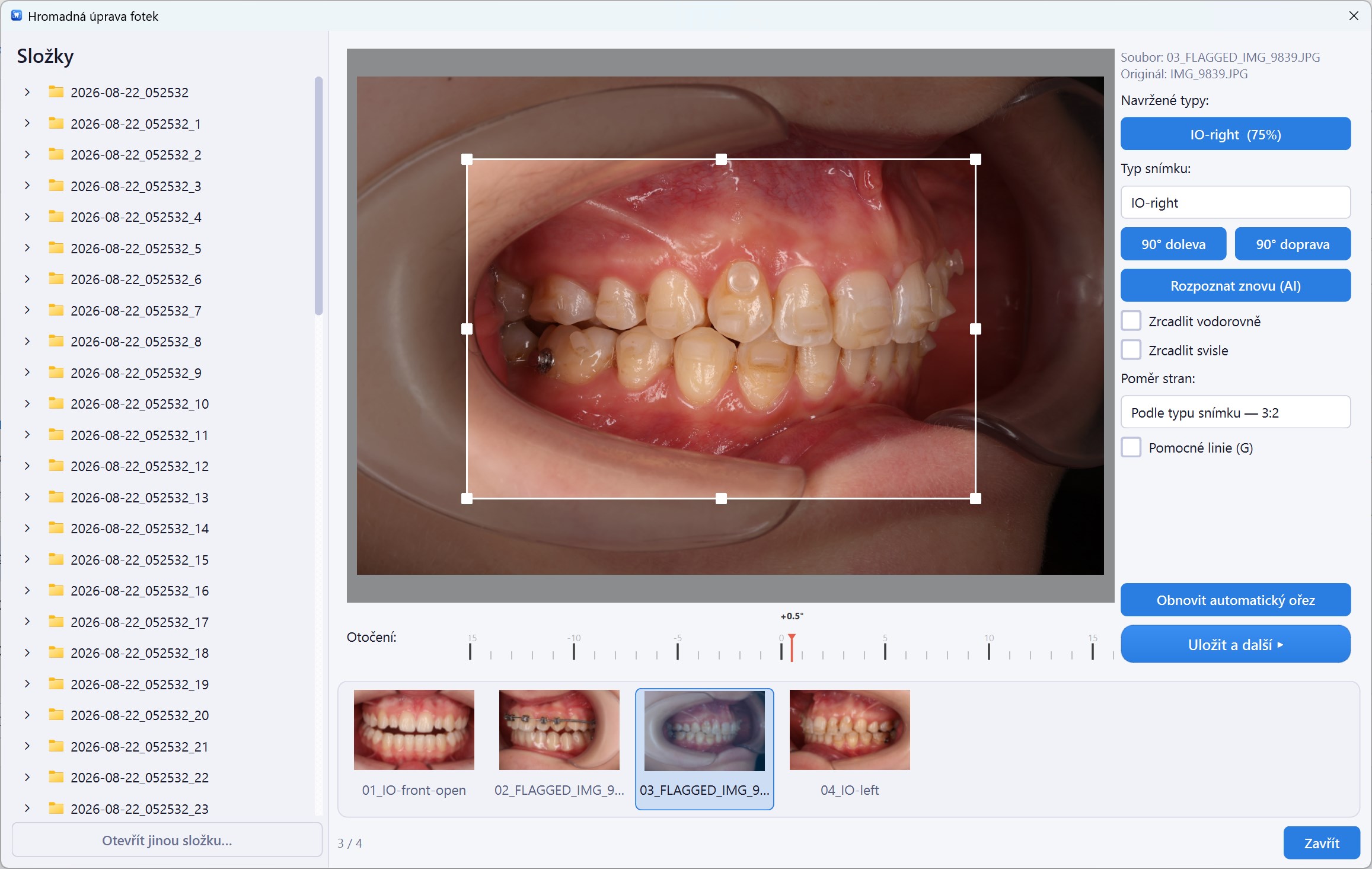
First, configure SmileCrop once for your clinic's folders, names, and photo order. Before each session, photograph the patient's QR code as the first frame. The standard orthodontic photo sequence itself stays the same; SmileCrop handles the processing afterwards.
What if SmileCrop does not crop a photo correctly?
You can quickly adjust the photo directly in the app. If backup is enabled, SmileCrop can also work from the original image.
What hardware do I need?
The minimum is a 64-bit 4-core Intel/AMD processor, 8 GB RAM, 8 GB free storage, and Windows 10 version 1809. A supported 64-bit Windows 11 system, 16 GB RAM, and an SSD are recommended. An NVIDIA CUDA GPU is optional. See the System Requirements.
What if we use multiple computers?
You only need SmileCrop on the computer where photos are actually processed — typically one computer per clinic. QR code generation runs free on any other computer. For clinics with multiple processing workstations, we offer a custom setup — contact us at [email protected].
Is patient data secure?
Patient photographs and names are processed locally and are not uploaded by SmileCrop for AI processing. Only the necessary License and technical data described in the Privacy Policy are transmitted for activation, periodic License validation, and updates.
Does it work offline?
Photo processing is local and does not require a permanent connection. Internet is required to start the Trial Period, activate, update, and periodically validate the License. After successful validation, the full paid License remains available offline for up to 72 hours and then temporarily enters limited mode until validated again. See the System Requirements.
Is SmileCrop a medical device?
No. SmileCrop is a workflow automation and image-processing tool for dental practices. It does not perform diagnosis, provide clinical recommendations, evaluate treatment, or make treatment decisions. All clinical decisions remain the responsibility of the healthcare professional.